
Two Titans of Synthetic Voice: An In-Depth Comparison

A detailed comparison of WellSaid Labs and Revoicer for AI voice generation. Explore voice quality, pricing, use cases, and features to find the best synthetic speech solution for your needs in 2025.
When a major e-learning company switched from traditional voice actors to an AI voice platform, their content production time dropped by 70% while maintaining the professional quality their audience expected.
The market for AI-powered voice synthesis is rapidly expanding, offering creators and businesses unprecedented tools for audio content creation. Among the growing list of contenders, WellSaid Labs and Revoicer have emerged as prominent solutions, each with a distinct approach to converting text into natural-sounding speech.
Choosing the right platform is critical. This comprehensive guide explores the corporate philosophy, technical capabilities, and ideal use cases for both WellSaid Labs and Revoicer, providing the clarity needed to navigate your decision in 2025.
WellSaid Labs: The Enterprise-Grade Voice Studio
WellSaid Labs has established itself as a leader in high-fidelity, secure AI voice generation for professional and organizational use. Founded in 2018, the company has grown to serve a global clientele, including a significant portion of the Fortune 500, emphasizing its reliability and corporate trust.
Core Technology and User Experience
At the heart of WellSaid Labs is its intuitive Studio platform. This central hub allows users to input scripts in plain text, select from a diverse voice avatars library, and generate professional-grade narration in real-time. This process eliminates the need for traditional recording sessions and extensive post-production work.
The platform's strength lies in its rich and stable voice library. It offers a wide array of AI voices, each designed with a unique personality and style. Users can fine-tune these voices by adjusting parameters like pitch, speaking rate, and emphasis, allowing for precise control over the final audio output to match brand identity.
Collaboration and Integration Capabilities
Beyond solo creation, WellSaid Labs excels in collaborative environments. Its platform includes robust team collaboration tools, enabling multiple users to work on projects, share voice assets, and provide feedback seamlessly. This feature is invaluable for large organizations that need consistency across multiple projects or marketing campaigns.
For developers, WellSaid Labs provides a powerful API for seamless integration. This allows businesses to embed its high-quality text-to-speech (TTS) technology directly into their own applications, software, or digital experiences without building the complex technology from scratch.
Revoicer: The Expressive and Accessible Voice Generator
Revoicer positions itself as an emotionally intelligent text-to-speech tool designed to make realistic voiceovers accessible to a broad range of content creators. It emphasizes emotional expression and affordability, catering especially to individual creators, marketers, and small teams.
Key Features and Functionality
Revoicer's standout feature is its focus on emotionally infused AI voices. The platform uses what it calls an "emotion-based" text-to-speech engine to generate voices that carry expressive qualities like happiness, sadness, or excitement, aiming for a more engaging and human-like result.
The tool offers a high degree of user customization. Creators can modify the speed and pitch of the voiceover, and crucially, add punctuation-based pauses and select specific emotions to align the delivery perfectly with their content's context. It also supports a variety of languages and accents, including British, American, and Spanish, to add character and regional authenticity.
Target Audience and Practical Use
Revoicer is particularly well-suited for the dynamic world of digital content creation. It is an excellent fit for generating voiceovers for YouTube videos, social media content, podcasts, and explainer videos. Its pricing model, which includes a one-time payment option, is designed to be attractive to individual professionals and small businesses looking for a capable tool without a recurring subscription burden.
Head-to-Head: Analyzing the Key Differences
To make an informed choice, a direct comparison across several business and technical dimensions is essential.
Corporate Profile and Market Position:
- WellSaid Labs is the established incumbent, founded in 2018 with a larger team and a clear focus on enterprise clients. Its services are trusted by global brands for their security, ethical AI principles, and professional consistency.
- Revoicer is a newer, agile player in the market. With a smaller operational footprint, it focuses on innovation in voice expressiveness and caters to a market segment that values flexibility and specific creative features like emotional speech.
Pricing and Accessibility:
- WellSaid Labs typically operates on a business consultation model for its pricing, tailoring plans to organizational needs and scale. It generally does not advertise a standard free tier, aligning with its B2B service approach.
- Revoicer adopts a more consumer-friendly access strategy. It often provides a monthly free allowance for new users and operates on straightforward subscription or one-time payment plans, making it easier for individuals to start using the service.
Voice Quality and Output Focus:
- WellSaid Labs prioritizes broadcast-quality stability and naturalness. Its voices are known for their clarity and professional polish, making them suitable for corporate training, commercial advertisements, and customer-facing applications where brand reputation is paramount.
- Revoicer seeks to break the monotony often associated with synthetic speech by prioritizing emotional range and expressive delivery. This makes its outputs potentially more engaging for narrative content, promotional videos, and any project where connecting with the listener on an emotional level is key.
Choosing Your Ideal AI Voice Partner
The decision between WellSaid Labs and Revoicer is not about which is universally better, but about which is better suited to your specific requirements.
Choose WellSaid Labs if:
- Your primary need is for stable, professional, and brand-consistent voiceovers for corporate or large-scale projects.
- You operate in an industry with high data security and compliance requirements, such as finance, healthcare, or enterprise education.
- You require deep API integration to weave AI voice into your own products or internal workflows.
- You are part of a team that needs to collaborate on voice asset creation and management.
Choose Revoicer if:
- You are an individual content creator, marketer, or small business owner working on videos, ads, or audiobooks.
- Emotional expression and affordability are your top decision-making criteria.
- You prefer a simple, accessible tool with a straightforward pricing model without the need for a sales consultation.
- Your projects benefit from voices that can convey specific feelings like excitement, warmth, or urgency.
The Future of Synthesized Speech
The AI voice synthesis field is moving beyond simple text reading. The future points toward even more personalized and context-aware vocal performances. Tools will better understand narrative context, automatically adjust tone for different audience segments, and offer even finer creative control. This evolution will make synthetic voices indispensable across media production, education, and software interaction.
The rise of these technologies also brings important ethical considerations to the forefront. Creators have a responsibility to use them transparently, often disclosing when a voice is AI-generated, and to avoid using them to create misleading or deceptive content.
As you evaluate your options, remember that the most effective voice is the one that faithfully and compellingly conveys your unique message to your intended audience.
More Articles

Triorama AI
Triorama AI is an AI-powered 3D product configurator platform that enables eCommerce businesses to offer real-time product personalization and visualization capabilities to their customers.
Fotor Review: Is It the Best Online Photo Editor for You?
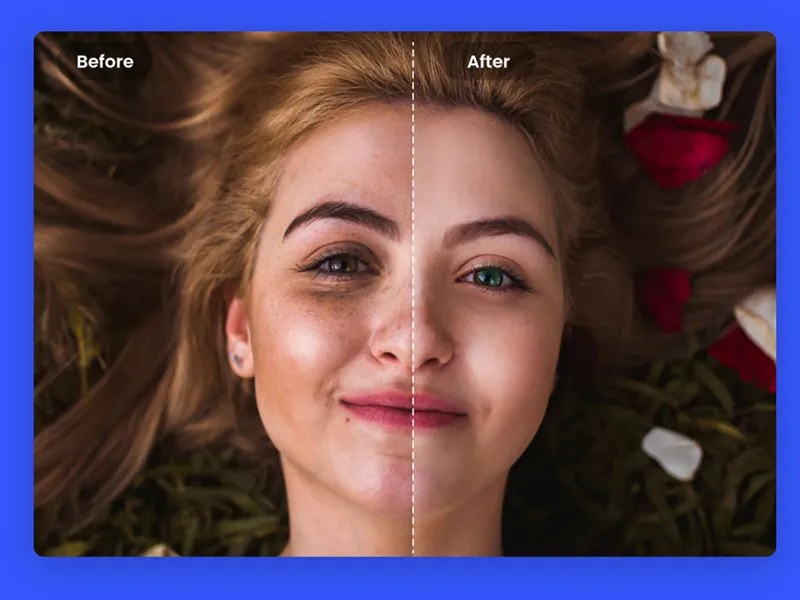
Photo editing has become an essential skill, whether you're a professional graphic designer or just looking to spruce up your social media posts. But finding a user-friendly, feature-packed editing platform without breaking the bank can be a challenge. Enter Fotor, a versatile online photo editing tool that promises to simplify creativity with its intuitive interface and powerful AI-driven features. Does Fotor truly deliver on its promises? This review will explore its features, benefits, pricing, and alternatives, helping you decide if Fotor deserves a place in your creative toolkit. What is Fotor? Think of Fotor as your virtual photo editing workshop. Launched in 2012 by Xiaochun Zhang, the platform aims to bring advanced editing tools to users of all skill levels, from beginners to pros. Whether you're cropping, enhancing colors, or creating stunning AI-generated art, Fotor makes the process seamless and beginner-friendly. Fotor is loaded with features, including: An AI Photo Enhancer to instantly clarify blurry photos or adjust colors. A Creative Design Hub with templates and design tools. Mobile App Support, so you can edit anytime, anywhere. Why Choose Fotor? Top Benefits Highlighted Here’s why over a million users trust Fotor for their photo editing needs: 1. AI-Powered Enhancements Fotor’s AI features streamline photo editing with tools that: Remove blemishes and unwanted objects. Enhance lighting and colors automatically. Improve blurry images, making them crisp and clear. 2. Beginner-Friendly Interface New to photo editing? Fotor’s intuitive layout helps you get started quickly. All tools are easily accessible, eliminating the steep learning curve common with professional software. 3. Artistic AI Effects Transform ordinary images into captivating works of art with styles inspired by anime and other creative formats. Just a few clicks turn your photos into something truly unique. 4. Collage Maker Whether you’re organizing family photos or creating a professional portfolio, Fotor offers customizable templates to design eye-catching collages with ease. 5. Versatile Editing Options From basic adjustments like cropping and resizing to advanced features like background removal and text overlays, Fotor gives you full creative control. 6. Cloud Storage and Collaboration Save your work online and collaborate with teammates or clients effortlessly. Fotor’s cloud storage keeps your projects accessible across devices. 7. Affordable Pricing Fotor offers both free and premium plans, making professional-level editing accessible to all. The Best Features of Fotor Fotor stands out through its combination of easy-to-use tools and cutting-edge technology: Background Removal Want to place your subject against a tropical beach or an abstract design? Fotor’s background removal tool lets you isolate elements and swap settings with precision. AI Photo Enhancer Using artificial intelligence, Fotor can repair photos in seconds, improving sharpness, brightness, and vibrancy automatically. AI Image Generator Enter a text description, and Fotor’s AI will create a custom image tailored to your vision. Whether for marketing or personal projects, this tool makes unique visuals effortlessly. Customizable Templates Need fresh ideas for social media posts or invitations? Fotor’s professional templates can be customized to match your branding or personal style. Mobile and Web Accessibility With apps for iOS and Android, Fotor brings your creativity to your fingertips, ensuring you can edit on-the-go. Pricing Plans Fotor provides flexible pricing to suit various users: The Free plan, available at no cost, includes basic editing features and limited cloud storage. For those looking for more advanced tools, the Pro plan is priced at $8.99 per month and includes advanced editing tools, access to extra effects, and additional design features. For an enhanced experience, the Pro+ plan costs $19.99 per month and provides all the Pro features along with increased cloud storage and access to premium content. The free version is a great starting point, while the paid plans unlock advanced tools for professional needs. Pros and Cons of Fotor Understanding the advantages and limitations helps determine if Fotor is right for you: Pros Beginner-friendly interface. Powerful AI tools. Affordable pricing plans. Mobile access for on-the-go editing. Regular updates and new features. Cons Limited tools in the free plan. Occasional slow processing on large files. Some advanced features may feel overwhelming for beginners. Alternatives to Fotor While Fotor is an excellent all-in-one solution, here are other platforms worth considering: Canva: Best for creating graphics and social posts with templates. Pixlr: Great for users seeking more control over their edits. Adobe Photoshop: Ideal for professional photographers and designers. GIMP: A free, open-source tool offering advanced functionality. Snapseed: Perfect for simple, mobile-first photo editing. Personal Experience With Fotor Our team recently used Fotor to create promotional materials for a product launch. The experience was seamless, thanks to features like the background removal tool, which saved hours of manual editing. The AI Photo Enhancer elevated our product photos, making them look professional and visually appealing. Even our team members with minimal design experience found Fotor easy to use, thanks to its simple interface and readily available templates. Final Thoughts on Fotor Fotor delivers a remarkable combination of simplicity, power, and affordability, making it a strong contender in the world of online photo editors. Whether you’re new to photo editing or are looking for a tool to streamline your design process, Fotor has something to offer. Should you try it? Absolutely. With a free plan available, there’s no risk in exploring how Fotor can transform your creative projects. Try Fotor for Free today and experience the difference for yourself. FAQ What is Fotor’s AI image generator? The AI Image Generator creates custom visuals based on your text input, offering endless creative possibilities. Can I use Fotor for free? Yes! The free plan provides basic editing tools, while Pro and Pro+ plans unlock advanced features. Is Fotor good for beginners? Absolutely. Its easy-to-navigate interface is perfect for first-time editors. Can I use Fotor on my phone? Yes, Fotor’s mobile app is available for both iOS and Android devices, allowing you to edit photos on-the-go. What are the system requirements for Fotor? Fotor is web-based and accessible via any device with an internet connection and modern browser.

Leonardo AI Review: Is It the Best AI Art Generator?
Introduction Creating captivating visuals is no longer limited to professional designers. With AI tools like Leonardo AI, generating unique, high-quality images has become accessible to everyone—from hobbyists to creative professionals. But is Leonardo AI truly the best AI art generator? This detailed Leonardo AI review explores its features, pricing, and benefits to help you decide if it’s the right choice for your creative process. What is Leonardo AI? Leonardo AI is an advanced image generator powered by generative AI. It transforms text prompts into stunning visual creations, offering an impressive suite of tools for editing, refining, and customizing your designs. Whether you're designing concept art, 3D textures, marketing visuals, or creating personalized images, Leonardo AI aims to streamline the entire artistic process with user-friendly features and cutting-edge technology. Who Created Leonardo AI? Leonardo AI was founded in 2022 by Ethan Smith, JJ Fiasson, and Jachin Bhasme. Based in Sydney, the team set out to empower creators by building intuitive tools that simplify the creative process. Their mission? To blend cutting-edge AI with efficiency to help users bring their ideas to life effortlessly. Key Features of Leonardo AI Leonardo AI is a powerful platform designed to cater to both beginners and professionals in the creative space. Combining advanced technology with a user-friendly interface, it offers a seamless experience for generating, editing, and customizing AI images. Here’s a closer look at what makes Leonardo AI stand out: High-Quality Image Generation Leonardo’s advanced foundational model empowers you to create stunning, detailed, and vibrant AI-generated images. Whether you’re crafting artwork for personal projects or professional purposes, this system ensures exceptional quality that makes your creations truly stand out. Time and Cost Efficiency Leonardo AI helps streamline your creative workflow by enabling quick generation of unique visuals. This means you can cut down on expenses for stock photos or lengthy design processes, saving both time and money. It’s ideal for maintaining creativity without compromising efficiency. Customization and Artistic Control What sets Leonardo apart is its level of customization. With precise prompts and advanced image guidance features, you can refine your creations to match your vision. Whether it’s altering fine details or experimenting with different concepts, Leonardo gives you full control over your artistic outcomes. Diverse Creative Suite Leonardo AI is more than just an image generator; it’s a comprehensive design toolkit. The platform offers various tools and features to make image creation and manipulation simple. From crafting visuals to enhancing them, everything can be done within this all-in-one suite. AI Canvas The AI Canvas feature serves as your digital workspace for creating and editing images. This tool allows you to add, remove, and adjust elements within an AI-generated image with ease, using intuitive image guidance for accurate edits. 3D Texture Generation For 3D creators, Leonardo AI brings the ability to generate realistic textures such as wood, metal, or other intricate details. This feature is perfect for elevating your 3D projects, making them more lifelike and visually appealing. Custom Models One of the most exciting features is the ability to train Leonardo AI to create images in your signature style. This personalized touch provides unique outputs and ensures consistency while making your art truly one of a kind. Powerful API Integration For those with a technical edge, Leonardo’s powerful API allows you to seamlessly integrate the platform with other tools. This automation simplifies the process of generating images, making it even easier to incorporate AI into your workflows. Privacy and Ownership Leonardo AI prioritizes your security and creative ownership. The platform is built with a strong privacy policy that safeguards your data and creations. You retain full control over the images you generate, ensuring peace of mind. User-Friendly Interface Despite its advanced capabilities, Leonardo AI is designed to be accessible for everyone. Its intuitive layout makes it approachable for beginners while still offering robust options for experienced artists. Whatever your skill level, you’ll find the platform easy to use and enjoyable to explore. With these features and benefits, Leonardo AI proves itself as a versatile and reliable tool in the AI art generation landscape. Whether you’re developing creative content for business or pursuing personal artistic goals, this platform empowers you to bring your vision to life with precision and ease. Leonardo AI Pricing Plans Leonardo AI offers flexible pricing to cater to diverse user needs. Plan Price (per month) Key Features Free $0 150 daily tokens Apprentice $10 8,500 daily tokens Artisan Unlimited $24 25,500 daily tokens Maestro Unlimited $48 60,000 daily tokens For Teams Custom Pricing Shared tokens for collaborative workflows Not sure how much Leonardo AI costs or is Leonardo AI free? The free plan is great for beginners, while advanced users may find the premium plans more viable for enhanced capabilities. Pros and Cons of Leonardo AI Pros Cons ✅ High-quality, professional-grade image outputs ❌ Slight learning curve for advanced features ✅ Intuitive interface suitable for beginners and experts alike ❌ Occasional unpredictability with image results ✅ Advanced editing tools like AI Canvas ❌ Dependent on evolving AI technology ✅ Customizable models for tailored designs ✅ Fast image generation speeds Who Should Use Leonardo AI? Leonardo AI is ideal for a variety of users, including: Content Creators: Bloggers, marketers, and social media managers looking for unique visuals. Game Developers: Create textured assets or characters with detailed designs. Artists & Designers: Speed up your creative workflow with versatile tools. 3D Modelers: Generate lifelike textures to enhance your 3D projects. How to Use Leonardo AI: Step-by-Step Tutorial Here’s a quick guide to get you started with Leonardo AI: Step 1: Sign Up for Free Visit Leonardo’s website and create an account. Step 2: Select Your Plan Choose between free or paid subscriptions based on your needs. Step 3: Input a Prompt Type a detailed description of the image you want to create. Step 4: Customize Your Creation Use the AI Canvas to refine and perfect your design. Step 5: Save & Download Once you're satisfied, download your creation! Top 3 Leonardo AI Alternatives Compared If Leonardo AI isn’t the perfect fit for you, there are several other AI-driven platforms worth exploring. Each offers unique features, strengths, and limitations, catering to different artistic or technical needs. Below is a detailed look at some notable alternatives: Midjourney Midjourney is a popular choice among digital artists and creative users seeking compelling, imaginative visuals. Known for its distinct style, it specializes in crafting artistic and surreal AI-generated images that often push the boundaries of creativity. Strengths: Midjourney shines in its ability to produce expressive visuals with an artistic flair. Its images often feel like they belong in a gallery, perfect for users aiming to make bold creative statements. Weaknesses: The platform’s simplicity can be limiting for users looking for more technical control or customization. It’s mainly accessible via Discord, which might not suit everyone’s workflow. Midjourney is best suited for individuals looking for unique, visually stunning creations with minimal setup requirements. Stable Diffusion For users seeking maximum technical control, Stable Diffusion is an open-source AI framework that empowers developers and advanced creators to build custom solutions. Unlike most platforms, this tool serves as a foundation for creating personalized image-generation experiences. Strengths: Its flexibility and open-source nature make it a favorite among tech-savvy users. Developers can tweak and refine the algorithms to suit niche requirements, enabling deeper levels of customization. Weaknesses: It’s not as beginner-friendly as plug-and-play platforms like Midjourney or NightCafe. Users without a technical background may find it daunting or impractical. Stable Diffusion is best for developers and advanced users who want complete control over how their AI art is generated and are comfortable with a more technical approach. NightCafe Creator NightCafe Creator caters to those who enjoy experimenting with a variety of artistic styles. It stands out for its extensive library of filters and its approach to making AI-driven creativity fun and exploratory. Unique Features: The platform is especially beginner-friendly, encouraging users to play with different modes and art styles ranging from abstract and cubism to impressionism. Strengths: NightCafe Creator is perfect for hobbyists or users exploring new possibilities in AI art. Its versatility ensures you’ll never run out of options to try. Weaknesses: While fun and highly accessible, it may lack some of the precision and customization options seen in more advanced tools. NightCafe is ideal for creators looking for a playful and engaging way to generate stylized artwork and expand their artistic horizons. My View of Leonardo AI Our team recently used Leonardo AI for creating marketing assets, and the experience was exceptional. The Image Generation delivered high-quality visuals within seconds, while the AI Canvas was a lifesaver for making quick edits. Leonardo significantly reduced time spent sourcing stock photos, allowing us to focus on creative strategy. What Stood Out Customization: We could tailor designs to match our brand aesthetic perfectly. Efficiency: Its user-friendly platform made the entire process seamless from start to finish. Overall, Leonardo AI proved to be an indispensable tool for our creative projects. Frequently Asked Questions About Leonardo AI Q: What exactly is Leonardo AI? Leonardo AI is a generative image tool that transforms text prompts into unique visuals. Q: How much is Leonardo AI? Leonardo AI pricing starts with a free plan and goes up to $48/month for advanced users. Team plans are also available for collaborative needs. Q: Is Leonardo AI free to use? Yes, Leonardo offers a free plan with 150 daily tokens, making it accessible for beginners. Q: Can I use images from Leonardo commercially? Yes, commercial usage rights depend on your subscription. Paid plans usually include extended rights. Q: Is my data protected? Leonardo prioritizes privacy and data security under its comprehensive policy. Conclusion From this Leonardo AI review, it’s clear that this remarkable tool excels as a flexible and powerful asset within the AI art generation space. Whether you’re a beginner exploring creative possibilities or a professional seeking efficiency and customization, Leonardo AI offers compelling features to suit your needs. Still not convinced? Start with the free plan today and explore the endless possibilities Leonardo AI can unlock for you. Try Leonardo AI for free and start creating unique, breathtaking visuals today!
Udio AI Review: The Future of Personalized AI Music Generation
Introduction What if you could translate your creative ideas into high-quality music without spending endless hours in production? Udio, an innovative AI music generator, promises to do just that. Designed for musicians, content creators, and even casual users, Udio uses advanced AI to turn simple text prompts into professional-grade tracks. This review will explore what makes Udio unique, its key features, pricing plans, pros and cons, and how it compares to leading competitors. Whether you're battling creative blocks or want to experiment with music creation, Udio might be the tool you've been waiting for. What is Udio? Udio is a cutting-edge AI music generator that simplifies and democratizes music creation. With nothing more than a descriptive text prompt, users can create full-fledged songs, complete with lyrics, instruments, and a unique sound. It supports various genres, from folk to hip-hop, offering flexibility for different tastes and needs. From seasoned musicians seeking inspiration to beginners who lack technical skills, Udio makes music creation accessible to everyone. Whether you’re writing a quirky melody or producing a polished track for a project, Udio takes your idea and brings it to life. Who Created Udio? Founded by former Google DeepMind engineers—including David Ding, Andrew Sanchez, and Charlie Nash—Udio leverages years of AI expertise to deliver an unparalleled music experience. The platform has also gained the attention of notable figures in the music industry, such as will.i.am and Tay Keith, further cementing its credibility and innovative edge. Key Benefits of Using Udio Udio is revolutionizing music creation, making it accessible to professionals and enthusiasts alike. With cutting-edge tools powered by AI, Udio allows you to compose, customize, and share music with unprecedented ease. Here's a closer look at its standout features: 1. From Text to Tracks Imagine turning your thoughts into music with the power of words alone. Udio's innovative "AI Music Creation from Text" feature allows you to craft studio-quality music by simply providing a text prompt. Users can describe their song idea, including the genre, mood, or even specific themes, and Udio will generate two unique versions of a track. From song titles to instrumentals and vocals, every element is automatically produced to align with your description. Whether you’re an experienced musician seeking inspiration or a novice exploring musical ideas, this feature transforms your concept into reality with extraordinary precision and creativity. 2. Innovate With Track Edits Redesigning and reworking existing tracks has never been easier. Udio provides powerful tools to extend songs, remix compositions, and inpaint audio seamlessly. With Extend Tracks, you can add sections to your music without disrupting the existing composition. Want to experiment with different variations? The Remix tool enables you to reimagine your music, offering fresh perspectives to refine your sound. And with Audio Inpainting, gaps in your tracks can be filled effortlessly, ensuring every layer feels polished. These tools are intuitive enough for beginners yet robust enough for professionals, making editing and enhancing music a smooth creative process. 3. Design Personalized Cover Art Beyond sound, Udio also focuses on the visual appeal of your music. Its AI-driven Custom Cover Art feature generates striking, personalized artwork that complements the mood and theme of your song. With the help of an integrated AI image generator, you can design unique visuals that bring your music to life and create a cohesive artistic identity. Whether you envision bold graphics, subtle imagery, or abstract forms, Udio’s tools give you the freedom to experiment and produce professional-grade cover art, ensuring your tracks leave an unforgettable impression. 4. Isolate and Export Stems For musicians who want to fine-tune their creations further, Udio supports Stem Exports. You can isolate specific elements of your track, such as vocals, drums, or guitar, and export them as individual stems. These files can then be imported into professional Digital Audio Workstations (DAWs) like Ableton Live, Pro Tools, and others for advanced editing and production. This feature bridges the gap between AI-generated music and full-scale studio refinement, empowering artists to elevate their music to industry-leading specifications. 5. Effortless Music Sharing Once your masterpiece is complete, sharing it with the world is effortless. Udio allows users to publish tracks directly on its platform, creating a community-driven space for discovery and collaboration. Alternatively, you can download your music as video files complete with synchronized subtitles and your custom cover art, designed perfectly for platforms like YouTube and SoundCloud. This streamlined sharing process ensures that your music reaches audiences beautifully packaged and ready to make an impact.Udio isn’t just an AI music generator; it’s a complete solution for modern musicians, offering accessible tools to create, refine, and share tracks at every stage of the process. Udio Pricing Plans Udio offers flexible pricing plans suited to different users: Free Plan: 10 daily credits Limited to basic features Generate up to 3 full-length tracks per day and up to 4 songs at the same time Standard Plan ($10/month): 1200 monthly credits Advanced editing tools included Generate up to 6 songs at the same time Pro Plan ($30/month): 4800 monthly credits Priority access to new features Generate up to 8 songs at the same time Bulk song downloads Whether you're a hobbyist or a professional, these plans make Udio accessible for all budgets. Pros and Cons of Udio Pros Cons Generate high-quality songs from text prompts in multiple genres. Copyright concerns regarding training data may deter licensing for commercial projects. Advanced AI tools for editing, extending, and remixing tracks. Track length limited to two minutes in the current version. Beginner-friendly with intuitive controls. Some features lack advanced customization options. Free plan available for new users. Export versatility with formats like MP3, WAV, and Stems. Who Should Use Udio? 1. For Content Creators YouTubers and podcasters can create custom background tracks tailored to their projects, replacing hours spent searching for royalty-free music. 2. For Educators Simplify e-learning and presentations with music that matches your lesson's tone and style. 3. For Businesses Generate background music for promotional materials or training videos that align with brand values. 4. For Musicians Experiment with genres, remix your tracks, and overcome creative blocks quickly. 5. For Hobbyists Anyone curious about AI's creative potential can have fun exploring sound with Udio. How to Use Udio: Step-by-Step Tutorial Step 1: Sign Up for Udio Start your journey by visiting Udio’s homepage and clicking the “Sign Up” button in the top-right corner. Create an account to unlock access to Udio’s innovative AI-powered music creation and editing tools. Step 2: Explore the Dashboard Once logged in, you’ll land on the dashboard, where you can immediately start generating music by describing a song idea or exploring pre-made prompts. Get inspired by curated categories such as Staff Picks, Trending Tracks, Top Categories, or More for You, showcasing diverse creations from the Udio community. Step 3: Describe Your Song & Adjust Settings Enter a description for your song, specifying its theme and genre. Customize your track further by choosing the clip length, selecting auto-generated lyrics or instrumental-only options, and accessing Advanced Creation Tools to ensure the track aligns with your creative vision. Step 4: Generate Your Track Select “Go to Advanced Creation Tools” to choose between music models like udio-130 for longer tracks or udio-32 for shorter clips. Decide on lyric options (instrumental, custom, or auto-generated), then click “Create” to generate two unique versions of your song, which will appear under “All Creations.” Step 5: Preview Your Songs Hover over the song’s cover art to preview the tracks. Listen to your AI-generated music, complete with professional arrangement, catchy melodies, and fitting cover art. Udio impresses with its ability to craft studio-quality music from your description. Step 6: Select Your Song Title Click on the song title to access options such as Remix, Extend, or Inpaint. You can also choose to share, edit, or publish your song on Udio. For further refinement, select “Edit” to modify the details of your track. Step 7: Edit Your Song Details Fine-tune the song by adjusting elements like its name, description, tags, and lyrics, or use AI to regenerate custom cover art. These details help personalize your creation and give it a polished, final touch before further editing or sharing. Top 3 Udio Alternatives Compared 1. Hydra II by Rightsify Hydra II by Rightsify is a great alternative for those seeking high-quality, copyright-cleared instrumental music for commercial applications. Unlike Udio, which creates full songs with vocals and offers tools like track extending and remixing, Hydra II focuses solely on instrumental tracks with extensive customization options. This makes it ideal for creating soundtracks, background music, or other commercial uses without worrying about copyright issues. If you’re aiming to produce entire songs with vocals and creative flexibility, Udio is unmatched, but Hydra II shines as a reliable platform for commercial instrumental needs. 2. AIVA AIVA is a standout choice for its customizability and straightforward licensing options. While Udio generates emotional full tracks from text prompts and offers AI tools like remixing, extending, and inpainting, it has limitations, such as a maximum track length of two minutes and some copyright concerns. AIVA, on the other hand, allows users to upload audio or MIDI inputs for more control over the output and provides a Pro Plan that ensures full copyright ownership of the music. For quick, user-friendly music creation, Udio is excellent, but AIVA is a better fit for users prioritizing advanced customization and clear copyright ownership. 3. Soundful Soundful is perfect for creating royalty-free background music tailored to content creators' needs, like videos, podcasts, or streams. It excels at quickly generating unlimited high-quality tracks, making it an efficient tool for those seeking royalty-free music. While Udio focuses on full-song creation with features like inpainting, remixing, and extending tracks for uniqueness, Soundful prioritizes simplicity and efficiency for background music. If you’re looking to add a personalized, creative touch to your music, Udio is the way to go, but for quick, royalty-free soundscapes, Soundful is a top choice. Frequently Asked Questions About Udio 1. Is Udio free to use? Yes, Udio offers a free plan with limited daily credits and basic tools. Paid plans unlock greater capabilities. 2. Does Udio tackle copyright concerns? Currently, Udio faces lawsuits over its use of copyrighted material in AI training. Proceed with caution for commercial use. 3. What's the cost of Udio Pro? Udio Pro costs $30/month and includes extensive features like priority access and bulk downloads. 4. Can Udio generate professional-quality music? Yes, Udio produces studio-grade tracks suitable for a variety of projects, including commercial ones (subject to licensing). 5. Is Udio the best AI music generator? While Udio excels at creating personalized tracks, alternatives like Hydra II or AIVA may be better suited for copyright safety or advanced customizations. Conclusion Udio is a brilliant solution for creatives eager to explore AI-powered music production. Despite some limitations in track length and copyright concerns, its intuitive design and advanced features make it a standout platform among AI music generators. Want to give it a try? Sign up for Udio’s free plan today and see how this tool transforms your music-making process.

PromeAI Review: Transform Your Sketches into Stunning Visuals
Bringing ideas to life can feel daunting, especially when faced with the tedious process of polishing raw sketches into professional visuals. That’s where PromeAI steps in—a game-changing AI platform designed to turn your creative sketches into stunning images while saving you time and effort. This PromeAI review will cover everything you need to know, including its features, pricing, pros and cons, and even a detailed tutorial on how to use it. Along the way, we’ll also highlight alternatives you can explore and answer some of the most common questions about the platform. By the end, you’ll know whether PromeAI is the right creative tool for your needs! What is PromeAI? PromeAI is an AI-powered design platform that transforms sketches and creative prompts into photorealistic images or even video content. Whether you’re an architect, designer, or hobbyist, PromeAI equips you with cutting-edge tools to help streamline workflows, bring ideas to life, and visualize your concepts like never before. Its standout features like Sketch-to-Image Generation, Creative Fusion, AI Image Variation, and Video Creation make it suitable for versatile creative tasks. From turning hand-drawn sketches into polished visualizations to generating artistic designs with ease, PromeAI offers an unparalleled level of customization and simplicity. Who Created PromeAI? PromeAI was founded by Dr. Yong Tang—a visionary who spent six years researching and developing advanced AI technologies to assist industries and creative professionals. PromeAI’s mission is to streamline the design process with tools powered by cutting-edge AI, enabling greater creativity, efficiency, and innovation. Key Benefits of Using PromeAI PromeAI revolutionizes creative workflows by merging cutting-edge AI technology with intuitive design tools, empowering professionals to bring their visions to life faster and more efficiently. Whether you’re refining a concept or starting from scratch, PromeAI streamlines the creative process while delivering stunning results. Below, we explore its standout features and how they elevate your projects. Streamlined AI-Powered Design PromeAI harnesses advanced artificial intelligence to simplify complex design tasks. From generating images from text prompts to refining hand-drawn sketches, the platform automates repetitive processes while maintaining creative control. Its AI adapts to your style, offering suggestions like prompt enhancements or layout adjustments to optimize your work. Customizable Templates for Every Project With an extensive library of pre-built templates, PromeAI caters to diverse design needs—whether crafting social media visuals, product mockups, or marketing materials. Each template is fully customizable, enabling users to tweak colors, fonts, and layouts effortlessly. This feature saves time while ensuring professional-grade outputs. Intuitive Drag-and-Drop Interface Designed for users of all skill levels, PromeAI’s user-friendly interface allows seamless manipulation of design elements. The drag-and-drop functionality simplifies tasks like resizing, layering, and positioning, making it easy to experiment with ideas without technical barriers. Real-Time Collaboration Tools Invite team members to collaborate on projects in real time, whether they’re across the room or the globe. PromeAI’s collaboration features streamline feedback loops, version control, and simultaneous edits, ensuring everyone stays aligned and productive. Advanced Image and Video Editing Capabilities PromeAI goes beyond basic design tools with specialized features for refining visuals: AI Image Generator: Transform text descriptions into high-quality artwork or photorealistic images. HD Upscaler: Enhance low-resolution images without losing detail. Erase & Replace: Remove unwanted elements or swap sections of an image seamlessly. Image-to-Video: Convert static visuals into dynamic video content. Creative Workflows for Complex Projects For intricate tasks, PromeAI offers Workflows—predefined sequences of tools tailored to achieve specific outcomes: Creative Fusion: Merge sketches with artistic styles to produce unique digital art. Background Diffusion: Automatically replace backgrounds using text prompts or templates. AI Supermodel: Generate lifelike virtual models from mannequin photos. Text Effects: Elevate basic text into 3D designs or stylized typography. Precision Tools for Professional Results Specialized tools like Sketch Rendering turn rough drafts into polished renderings, while Outpainting expands images beyond their original borders without compromising style. For targeted edits, Region Rendering lets users guide AI modifications using reference images, ensuring precision in every adjustment. Also Read: Veed.io Review - The AI Video Editor That Streamlines Your Workflow >> PromeAI Pricing Plans PromeAI offers flexible pricing to cater to your requirements. It includes one free plan with basic functionality and several paid subscription options for more features: Free Plan: 10 AI coins per month to explore basic functionality. Base Plan ($29/month): Access to premium AI tools and faster processing. Standard Plan ($59/month): Designed for professionals, including advanced rendering options. Pro Plan ($79/month): Full-suite features for power users and enterprise teams. Opting for the free plan is a great way to explore PromeAI, while the paid plans unlock its true potential for professional use. Pros and Cons of PromeAI As with any tool, PromeAI comes with its own set of strengths and weaknesses, which are outlined in detail below to provide a balanced perspective. Pros Cons Quickly converts simple sketches into realistic, high-quality visuals. Overwhelming number of features for first-time users. Offers a variety of creative tools, including AI Image Generation and Creative Fusion. Lower creative freedom compared to traditional design software. Facilitates collaboration with team members for projects. Occasional repetitive outputs depending on input quality. User-friendly for both beginners and professionals. Customer support could be faster or more comprehensive. Includes built-in guidance, such as prompting enhancements for richer designs. Active user community for learning and support. Who Should Use PromeAI? PromeAI’s diverse set of features makes it ideal for professionals across various industries: Architects can use it for detailed renderings and 3D visualization. Interior Designers benefit from its ability to explore multiple design variations. Graphic Designers love the creative blend of text effects, image upscaling, and artistic customizations. Game Developers can create animated assets and stylized designs with ease. E-Commerce Professionals can generate product images without costly photoshoots. Real Estate Agents leverage PromeAI’s visualization tools to showcase renovations or staging ideas. How to Use PromeAI: Step-by-Step Tutorial Here’s a quick guide to using PromeAI’s Sketch Rendering Tool to transform a simple sketch into polished visuals: 1. Create an Account Sign up for a free PromeAI account to get started. 2. Familiarize with the Dashboard Navigate user-friendly tools and settings through the main dashboard. 3. Select “Sketch Rendering” Choose this tool to convert your hand-drawn or uploaded sketches. 4. Upload Your Sketch Drag-and-drop your image or use a sample sketch provided. 5. Add a Text Prompt Guide the AI with simple prompts to fine-tune its output. 6. Choose Style & Scene Select from styles like "Realistic" or unique themes such as "Nordic Nuance" for personal care products. 7. Customize Details Adjust lighting, perspective, and precision-level as needed. 8. Generate Your Visuals Sit back and watch PromeAI transform your sketch into three professional-quality images. 9. Edit Further (Optional) Refine the output by using built-in editing tools like “Erase & Replace” or “Image Variation.” This intuitive process makes bringing creative ideas to life a seamless experience. Also Read: Jenni AI Review: Is This the AI Writing Tool for You? >> Top 3 PromeAI Alternatives Compared While PromeAI delivers impressive tools and features, exploring alternatives can help you find the best fit for your unique creative needs. Below are three standout options to consider, each excelling in specific areas and offering exciting possibilities. 1. Dzine If you’re searching for a straightforward solution to refine product designs, Dzine is an excellent alternative. This platform specializes in turning product sketches into polished, high-quality renderings with ease. Its intuitive tools and diverse style options make it a go-to for anyone looking to streamline the product design process. What makes Dzine shine is its ability to generate lifelike visuals quickly. For instance, creating a photorealistic perfume bottle using just a text prompt is both seamless and impressive. The focus on product design keeps the tools simple yet effective, perfect for refining visualizations without unnecessary complexity. By comparison, PromeAI offers a broader range of creative applications, such as sketch-to-image conversion, video creation, and even support for fields like game design and architecture. However, its extensive list of features can sometimes feel overwhelming for users looking for simplicity. Why Choose Dzine? Best for refining product designs quickly and with minimal fuss. Ideal if you value simplicity and need a tool focused on realistic renderings. 2. OpenArt OpenArt is another fantastic PromeAI alternative, offering tools that cater to artistic freedom and experimentation. This platform stands out with features like anime character creation, a stock image transformer, and sketch-to-image conversions. It’s tailored for creators who want fewer constraints and more creative flexibility in their workflow. OpenArt��s ability to function without prompts is a game-changer, letting you create freely without relying on pre-set instructions. The option to train custom AI models to align with your unique style also ensures consistency across all your projects. This level of customization makes it particularly appealing to independent artists who value originality in their work. Meanwhile, PromeAI focuses more on transforming input sketches into photorealistic visuals and videos. It’s perfect for those who want clean, realistic outputs, but OpenArt offers unmatched flexibility for freeform artistic exploration. Why Choose OpenArt? Ideal for artists who need creative freedom and powerful editing tools. Perfect for building a consistent style while enhancing visual creations. 3. Vizcom For those needing 3D integration, Vizcom emerges as a prominent choice. Unlike PromeAI, which transforms sketches into photorealistic visuals, Vizcom focuses on rendering sketches into 3D models with customizable textures and details. This makes it a versatile tool for industries like product design, engineering, and 3D visualization. Vizcom also provides team collaboration features that resemble Figma’s setup. Users can effortlessly share files and workspaces, making team projects more efficient. On top of that, it emphasizes security with advanced encryption to safeguard content ownership and privacy. While Vizcom excels with its 3D tools and collaborative options, PromeAI remains a strong contender for creators who need high-quality 2D visualizations and broad creative functionalities. Why Choose Vizcom? Ideal for those requiring 3D modeling integration alongside collaboration features. Great for detailed visualizations with a focus on teamwork. Which Platform Should You Choose? Choose Dzine if you need streamlined, realistic product renderings and minimal complexity. Choose OpenArt if creative flexibility and artistic experimentation are your priority. Choose Vizcom if you’re seeking 3D modeling tools and a collaborative workspace for detailed designs. Stick with PromeAI if you want a comprehensive toolkit for transforming sketches into photorealistic visuals and videos across various industries. Each platform caters to specific creative needs, so your choice ultimately depends on your goals and the complexity of your projects. Also Read: Kling AI Review: The Best AI Video Maker? >> Frequently Asked Questions About PromeAI Q1. Is PromeAI Free to Use? Yes! You can start with the free plan and upgrade as needed for additional features. Q2. What Does PromeAI Do? PromeAI uses AI to transform sketches or prompts into high-quality visuals and videos, streamlining the creative process. Q3. Who Owns PromeAI? Dr. Yong Tang leads PromeAI, leveraging years of expertise in merging AI with design solutions. Q4. What Is the Best Use Case for PromeAI? It is best for creating photorealistic renderings, e-commerce visuals, and even animated game assets. Conclusion PromeAI offers an intuitive, feature-rich solution for creatives looking to transform their sketches into professional-quality visuals effortlessly. Whether you’re an architect, designer, or creative hobbyist, PromeAI helps streamline workflows while unleashing your creative potential. If you’re intrigued, why not explore PromeAI for yourself after reading this PromeAI review? Its free plan offers the perfect opportunity to see if it’s the right fit for your needs.

Popular Rookie Group Member And Fan Seen Leaving Event Together In A Taxi
Recently, rookie boy group NouerA garnered much attention after holding an event in which the members took fans home in a taxi.
Anthropic CEO stands firm as Pentagon deadline looms
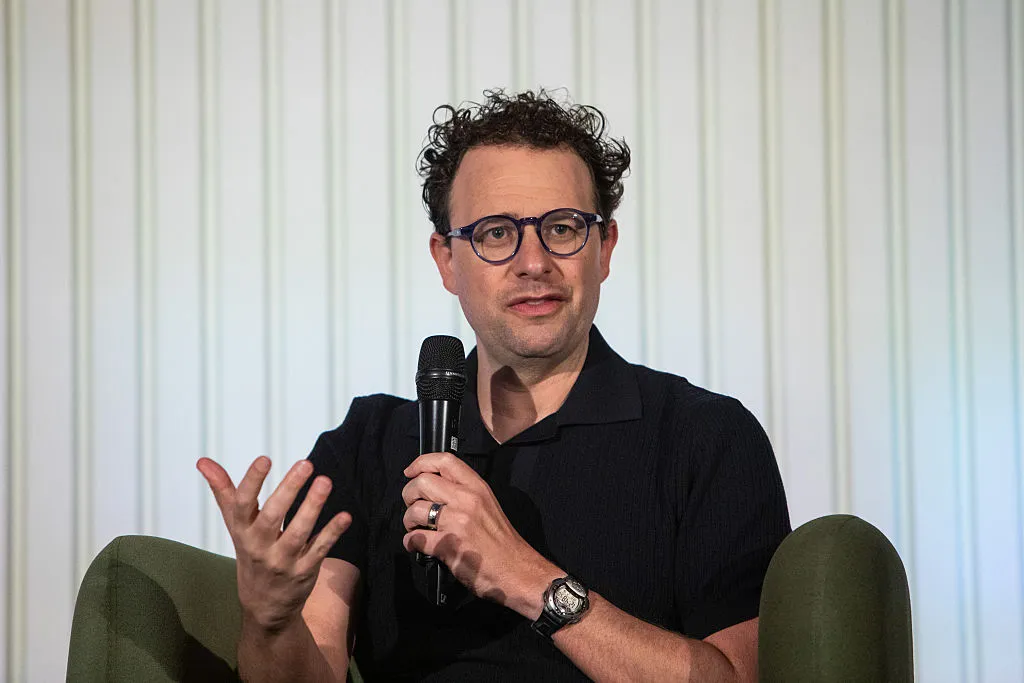
Anthropic CEO Dario Amodei said Thursday that he "cannot in good conscience accede" to the Pentagon's demands to give the military unrestricted access to its AI systems.
Fotor AI Review 2025: A Complete Guide to Its Features, Pros & Cons
Discover an in-depth 2025 review of Fotor AI — including powerful editing tools, pricing breakdowns, pros/cons, real user feedback, and whether it’s worth it for creators, marketers, and beginners.